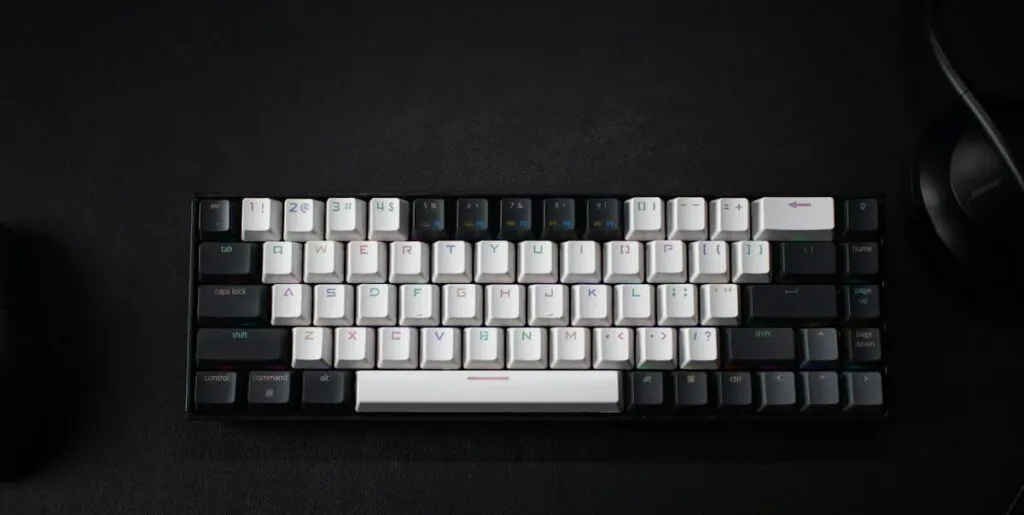


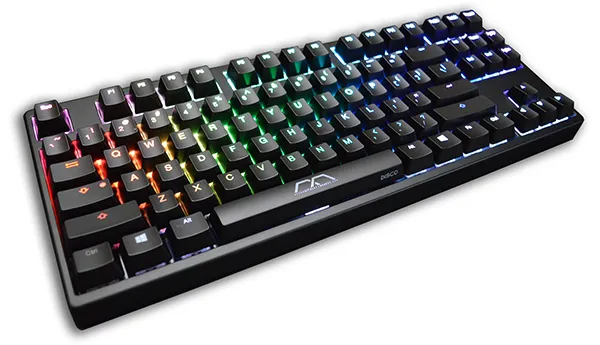
Those who have higher demands of their keyboard, such as people who work professionally in writing or gamers, show a particular preference for mechanical keyboards.
Mechanical keyboards have existed for many years – in fact the first keyboards ever built for use with computers were mechanical. They continued to be used until the spread of the home computer, when companies turned to new technologies (membrane keyboards) in order to offer their ever-growing customer base an affordable product that would adequately cover their needs.
In recent years, however, mechanical keyboards have made a strong comeback and are preferred by quite a few users who are willing to invest in a higher-quality keyboard.
Typing becomes more pleasant, faster and more accurate, since, thanks to the sound and the feel in the hand, there is no doubt about whether a key has been pressed or not. Their durability over time far exceeds that of membrane keyboards, while even the noise the keys make – that characteristic click – is pleasant for users (but not necessarily for those around them).

Mechanical keyboards are much more durable and offer a more pleasant and faster typing experience
But is it enough to go to a shop and ask for a mechanical keyboard? Are they all the same and suitable for all uses?
The answer is that mechanical keyboards are not all the same, but differ from one another depending on the type of keys they have.
- Keys with a tactile (tactile) press. One of the favorite features of mechanical keyboards is that every key press is felt by the user, so fewer mistakes are made while typing. This is achieved mainly by tactile switches, which have a small "bump" so that the user feels a jolt when they are activated and the press is registered.
These keys are in turn divided into those that make a loud "click" (Clicky switches) when activated and those that are quieter.
- Keys with a linear (linear) press. These keys do not have the "bump" that makes the press noticeable, as the previous ones do. This means they are less noisy, require less force to press and activate faster. Touch typists usually make more mistakes because of the sensitivity of these switches.

The most popular and common switches for mechanical keyboards are the switches MX that were created in the 1980s by the company Cherry.
Depending on their color, these switches have different characteristics that make them suitable for various uses and tasks. The most widespread Cherry MX switches are the red, blue, black, brown and Speed (gray) switches.
- Red switches Cherry MX. These are switches with a linear press, without a noticeable bump. They are quieter than other switches and do not require much force to press, while they return to their original position faster. As a result every press is registered faster and more easily for the user. These characteristics make them ideal for gaming since they allow the user to press the same key many times in a short period.

- Black switches Cherry MX. These are also linear switches. They are not widely used, because they need quite a lot of force to press. This has the advantage, of course, that a key is hard to press by mistake. They are preferred by some

- Blue switches Cherry MX. These are tactile switches and quite noisy. They need quite a lot of force to register each press and are considered ideal for typing. They are not the best choice for working in environments with many people, however, since the noise can be annoying for others.

- Brown switches Cherry MX. They are considered the best middle ground for those who want to combine typing and gaming on one keyboard. They have a tactile press but are relatively quiet, since the characteristic "click" is not heard when you press them.

- Speed (gray) switches Cherry MX. They are considered ideal for games that require speed, because the switch activates at just 1.2mm. They are not noisy, and do not need much force to press.

Besides Cherry, of course, other companies also make keys for mechanical keyboards.
One of the best-known and most important competitors of Cherry is the Chinese Kailh or Kaihua. Their switches are in a way "clones" of Cherry MX, since they follow the same philosophy in colors and characteristics. So, for example, the red Kailh switches behave the same as the red Cherry MX, the blue ones like the blue ones, and so on, but they differ in build quality and of course in cost.

Kailh switches are "clones" of Cherry MX, but differ in build quality and of course in cost
Kailh switches are used in many mechanical keyboards on the market and for a significant period were also used by the well-known peripherals company Razer. Now Razer has taken over the production line of switches for its keyboards itself, and not only that, since it also supplies them to other companies. So we have a series of Razer switches that look physically like Cherry MX, but are more oriented towards use in gaming. The best known of these are the green, orange and yellow ones.
- Green (Green) switches Razer. They are almost identical to the blue switches Cherry MX and Kailh. They are noisy with a noticeable click, but need slightly less force to press. Also, according to the company, in these switches the distance between the actuation point and the reset point has been reduced to 0,4mm, so that the delay between presses of the same key is minimized.
- Orange (Orange) switches Razer. Minimal differences from the brown switch Kailh (and likewise of Cherry MX). It is a quiet switch with a tactile press that works for both gaming and typing.
- Yellow (Yellow) switches Razer. These are switches with a linear press, equivalent to Cherry MX Speed. The difference is that the distance to press the key all the way down is half a millimeter shorter (3,5mm instead of 4mm).

Razer's switches resemble Cherry MX, but are more oriented towards use in gaming
Logitech is yet another company that makes its own switches for its keyboards. Its Romer-G switches come in versions with a linear and a slightly tactile press. They have been designed from scratch to eliminate some of the flaws of classic mechanical switches. The actuation point of these keys is at 1,5mm while their construction is such that they withstand 70 million presses.
Another Logitech switch is the GX Blue, which in design and operation is identical to the Cherry MX Blue. Here too, tests show that it withstands 70 million presses.

Romer-G's Logitech switches have been designed from scratch to eliminate some of the flaws of classic mechanical switches
These are by no means the only mechanical switches on the market.
Enthusiasts will know the ALPS switches, which were particularly popular in the 1980s and 1990s. The company that produced them has closed, but other companies produce switches of equivalent technology, though not always of equivalent quality.
The switches Topre are some other well-known switches that are not exactly mechanical, but combine the technologies of mechanical keyboards and membrane keyboards. They do not need much force to press, make no noise and are extremely durable.
And of course we must not forget the opto-mechanical switches that use optical technology to work. Under each such switch there is a beam of infrared light. When the switch is pressed the beam of light is interrupted and so the press is registered. These switches do not wear out easily, since their operation does not rely on contact between two metal parts. The company Razer has recently released a keyboard with opto-mechanical switches, but it is not the only one, since other companies released such keyboards even earlier (e.g. Bloody).

It is not certain whether with all of the above we helped you choose the best mechanical keyboard or confused you even more.
In reality there is no one switch that is objectively the best for typing or the best for gaming. The best choice depends on many factors, such as which game you play.
But basically, choosing the right switch for each person depends on their personal preference. The only advice we can give you is to try as many switches as you can and buy the one that feels best in your hand.