


It is a question you have surely heard whenever you have complained to a technician about a problem with your computer, phone or router.
It sounds somewhat naive as a solution, especially when the problem you are facing is something serious. The truth, however, is that it works, and it can even save you from freezes, delays, and perhaps an unnecessary visit to the technician.
But which problems can be solved with a restart?
Usually the problems that arise on a device and can be solved with a restart are minor software problems that the system cannot fix by itself.
- The code of a driver or of one of the programs running at that moment may stop working. The system cannot restart that particular program by itself, with the result that some function does not work properly or the same process is repeated continuously. This creates freezes or uses a lot of processing power needlessly, creating delays. Often such a minor problem in the code also causes a blue screen to appear, that is, an error screen that states the problem that has arisen and informs the user that the system will restart in order to fix it.
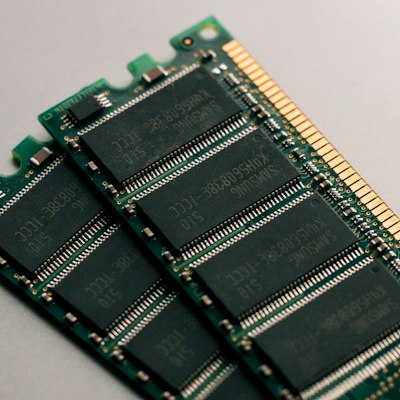
- At other times an app or program may run various background processes, using more and more RAM memory until the computer "crawls" and using it becomes, to say the least, irritating.
- More specifically, you may need to restart when you notice that your device (computer, tablet, phone) is significantly slower, when it freezes or when it stops working as expected (e.g. when we have no connection to internet because the router is not responding).
- Also, starting from scratch stops background processes from running, while whatever has been temporarily stored in memory and fills it, causing delays, is erased.

A restart can solve minor software problems that the system cannot fix by itself
How is a problem that has been troubling you fixed simply by restarting your device?
Essentially, when we turn a device off and on again, the operating system, programs and apps start again from the beginning. In this way the software is reset to its initial state and any problems that may have developed during use are eliminated. The software starts working again from its initial state and the device's operation returns to normal levels.
Attention, the restart procedure is different in the newer windows (8, 8.1 and 10 ). In these versions the "shutdown–startup" procedure does not have the same results as the "restart" procedure. Whatever we write in this article refers to restarting.
To make this clearer, let us try to explain it with an example:
Suppose you are cooking a dish and in the middle of the process you have to add the spices. But through a miscalculation you add far too much. One solution is to try to fix the problem, that is, to remove the excess or dilute the dish or add other ingredients to neutralize them. The truth is that in all cases you will spend a lot of time and effort on a rather lost cause. So the second option is to start the whole process again from the beginning.
In the case of a computer, a restart usually has a very low cost, so it is the advantageous option.

When we restart a device, the operating system, programs and apps start again from the beginning
On which devices can a restart work?
A restart can work on various devices. On computers, tablet, phones, even router and game consoles. After all, who has not turned the router off for a few seconds and then back on again, because for some unexplained reason they had no access to the internet? And of course most of the time this simple solution works!
Some of the most common cases where a restart helps are when a computer is very slow or shows unexplained behavior that appeared suddenly rather than gradually, when a tablet or smartphone freezes, when we have no internet because the router has frozen, etc.

A restart can work on various devices, such as computers, tablet, phones, even router and game consoles
When is a restart not effective?
Often, however, the same symptoms can be caused by more serious software or hardware problems. When it comes to corrupted software, the presence of malware, or a malfunction in a component of the device, a restart of course will not solve the problem.
So when you face a minor problem with your computer, tablet or phone, try restarting before you panic and believe it has broken. If the problem is not fixed, then it may be something more serious that requires a visit to your technician.